Watercolor Book Stacks Illustrations: Your Design Toolkit for Cozy, Creative Projects
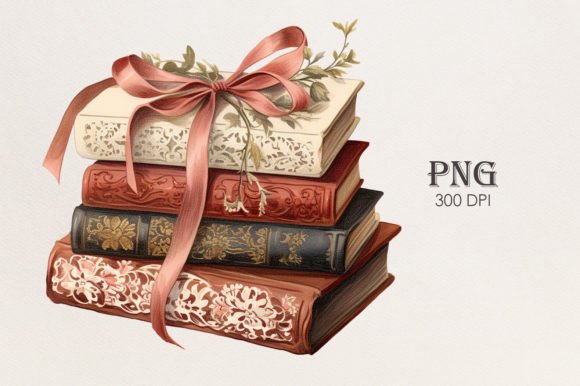
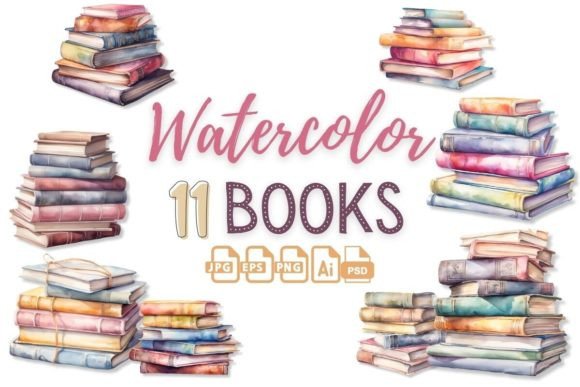
There's a certain warmth that comes from the sight of stacked books—a visual shorthand for knowledge, comfort, and quiet afternoons. Watercolor Book Stacks Illustrations captures this feeling perfectly, offering a collection of piled-up books in various shapes, colors, and arrangements. Each illustration carries the soft, organic texture of watercolor, bringing a hand-painted authenticity that digital art often lacks. The style is friendly, inviting, and slightly whimsical, making it versatile enough for both serious academic themes and playful, cozy designs. The overall appeal lies in its ability to feel personal and artistic, immediately adding depth and personality to any project it graces.
These aren't just simple drawings; they are detailed design assets crafted for high-resolution output. With 11 unique compositions provided in multiple formats—including transparent PNGs, scalable AI, and layered PSD files—each at a generous 4000×4000 pixels and 300 DPI, they are built for professional use. The transparent background is a crucial feature, allowing for seamless integration into layouts, mockups, and compositions without tedious masking. This makes the collection a practical toolkit for designers who need quality assets that work across different mediums without compromising on clarity or color fidelity.
Where These Illustrations Bring Projects to Life
The true strength of Watercolor Book Stacks Illustrations lies in their adaptability across the creative and commercial landscape. For editorial design, they are perfect for chapter openers, blog headers, or magazine features related to reading, education, or lifestyle. They add a human touch that stock photography sometimes cannot. In brand identity work, especially for businesses like independent bookstores, publishing houses, literary cafes, or tutoring services, these illustrations can become a core visual element. They help build a brand perception that is approachable, knowledgeable, and creatively minded.
Moving into the digital realm, their utility is just as strong. They are ideal for social media graphics, creating engaging posts for bookstagram communities, teacher influencers, or educational platforms. For web design, they can serve as decorative elements on landing pages, about sections, or as part of a cohesive visual language for a blog. The illustrations also shine in print applications. Think packaging design for a book subscription box, a bookmark, or a notebook cover. They are equally effective for creating merchandise like tote bags, mugs, or posters, especially for small businesses and creators using print-on-demand services. The collection is a gift in itself for crafters and hobbyists, perfect for scrapbooking, DIY cards, and digital planners.
Practical Guidance for Using Book Stack Illustrations
Integrating these illustrations effectively requires a designer's eye for context and composition. First, consider the project's overall tone. The watercolor style naturally leans towards a softer, more artistic feel. It pairs exceptionally well with clean, modern sans serif fonts for a balanced look, or with elegant serif fonts to enhance a classic, literary vibe. Avoid pairing them with overly ornate or complex script fonts, as this can create visual clutter and reduce readability. The goal is to let the illustrations complement the typography, not compete with it.
When evaluating fit, ask yourself if the project's audience will respond to this handcrafted aesthetic. It resonates deeply with adults who appreciate artisanship and nostalgia. For a tech startup's sleek logo design, it might not be the right fit. But for a cozy mystery novel's promotional graphics, a teacher's classroom decor, or a library's event poster, it's perfect. Test different illustrations from the set to see which color palette and stack arrangement best matches your color scheme and layout. Since the files are provided separately, you have the flexibility to use a single book stack as a subtle accent or combine several to create a more dynamic scene.
Remember, these are premium design assets. Their high resolution and multiple file formats (including AI and PSD) offer significant creative control. You can recolor elements in Illustrator or adjust layers in Photoshop to better match your project's specific needs. This level of customization is what separates a generic clip art look from a cohesive, professional design. Always check the licensing terms for any commercial project to ensure compliance, especially if creating items for sale. By treating these illustrations as a versatile part of your creative toolkit, you can consistently produce work that feels both professional and personally crafted, engaging your audience with a visual story of warmth and imagination.